20–40 PCs Is Enough to Hurt: A Practical Cyber Hygiene Starting Point for PH SMEs
If you run a Philippine clinic, law or accounting firm, creative agency, logistics office, or lean school with roughly 20–40 people on endpoints, you already sit in a hard middle. Enough surface area for real damage — email, cloud drives, shared admin accounts, a few unmanaged laptops — and almost never a full-time security person. IT is often one overloaded staffer, an outsourced partner, or the owner who “also does the Wi-Fi.”
You do not need a bank-scale attack surface to get hurt. One unmanaged laptop with admin rights, one finance mailbox without multi-factor authentication (MFA), or one backup nobody has restored under time pressure is enough.
This Insights piece is a practical cyber hygiene starting point — not a product brochure. It borrows the traffic-light method from ARA Industries’s SME cyber health-check workbook so you can see what is weak, pick three priorities, and only then talk about tools.
What is a cyber health check for a 20–40 seat PH business?
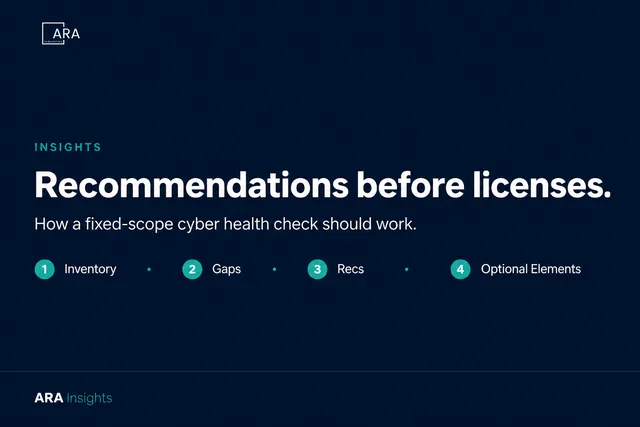
A cyber health check is a short, fixed-scope review of five basics: device inventory, identity and email (MFA), backups with a tested restore, admin access, and SaaS or incident contacts. You mark each area Green, Yellow, or Red, then pick three priorities for the next 30–90 days. It gives written recommendations first — licenses only if they genuinely fit your fleet. See how a fixed-scope check works.
Why 20–40 seats is enough to hurt
At this size you usually have enough surface area to matter (email, cloud apps, remote work, shared PCs), not enough spare watch capacity, real operational consequences if ransomware or a lost laptop hits, and budget that can buy outcomes — a fixed-scope health check plus a sensible control plane beats five overlapping consumer tools.
The goal is not enterprise security theater. It is know what is weak, decide what to fix first, and put durable controls on the fleet you already have.
Ambient PH context (without breach logos)
Public reporting already puts Philippine businesses in the regional ransomware conversation. Kaspersky findings covered by Newsbytes (15 April 2025) reported 21,629 ransomware detections attributed to PH businesses in 2024 — third in SEA behind Indonesia and Vietnam (part of 135,274 SEA detections blocked by Kaspersky solutions that year). Treat that as vendor-reported volume via a PH ICT beat, not as a claim about your firm. Takeaway: PH SMEs are in the volume, not on the sidelines.
For academe-adjacent readers (lean schools that look a lot like 20–40 seat offices; see our enterprise cybersecurity architecture notes), Upgrade Magazine (22 August 2025) covered Viettel Cyber Security findings that education accounted for about 18.2% of major PH ransomware-related incident share in H1 2025 — large records, often lean IT. Soft context only; not a school-panic post.
The traffic-light method (Green / Yellow / Red)
Walk each area with whoever owns IT or ops. Mark honestly. Your colors are for your team — use them to decide what to discuss next.
| Status | Meaning |
|---|---|
| Green | Documented, practiced, and someone owns it |
| Yellow | Partially done, informal, or only one person knows |
| Red | Missing, unknown, or “we hope it never happens” |
No fake scores. Three priorities beat fifteen abandoned initiatives.
1. Endpoints (laptops, desktops, shared PCs)
- Do you know roughly how many company devices exist — and who uses them?
- Are personal / BYOD devices that touch company email or files listed or restricted?
- Is endpoint protection installed and reporting (not “someone installed something once”)?
- Is day-to-day work done without full local admin?
- Is there a lost / stolen laptop process (who to tell, what to wipe or revoke)?
Red flags: “We think antivirus is on” but nobody can show a console; shared logins on clinic / school / warehouse PCs; contractors who still have access months later.
Practical next step: Inventory first. You cannot protect what you cannot name.
2. Identity and email
For PH SMEs this size, email is often the front door for fraud and account takeover.
- MFA on for admins (email / Microsoft 365 / Google Workspace) — and for users who touch finance systems
- Clear owners for shared mailboxes and “info@” aliases
- A path to report suspicious mail
- Ex-staff accounts disabled on the last working day (or same week)
Red flags: Owner or finance accounts without MFA “because OTP is annoying”; one shared password at the front desk; no process for verifying bank-detail change requests.
Practical next step: Turn on MFA for admins this week; plan user MFA with a short help path for staff who get stuck.
3. Backups (the recovery question)
Ask: If ransomware or a bad delete hits us Tuesday morning, what do we restore by Wednesday?
- Critical data locations are named (file server, NAS, cloud drives, finance system)
- Backups run on a known schedule
- At least one copy is offline or otherwise hard for ransomware to reach
- Someone has tested restore in the last year — even a small file test
- Backup credentials are not the same as everyday admin
Red flags: Only one copy on the same synced folder users can encrypt; “the cloud is our backup” with no retention understanding; nobody has restored under time pressure.
Practical next step: Pick one critical folder or mailbox and run a restore drill. Document who did it and how long it took.
4. Admin access
- Named list of people with admin rights (Microsoft 365, Google, firewall, hosting)
- Admin accounts separate from everyday email where practical
- Cloud / hosting bills and DNS not solely on one person’s personal Gmail
- Vendor remote-access tools known and limited
Red flags: “Everyone is admin so we don’t get tickets”; former freelancers still on VPN or hosting panels.
Practical next step: Write a one-page admin list. Revoke anything you cannot explain in one sentence.
5. SaaS and “who do we call?”
- Core SaaS list exists (email, files, finance, HR, practice software)
- Who can invite guests or share links is known; sensitive folders are not “anyone with the link” by default
- Named primary and backup contact if something looks wrong — with a half-page first-hour card printed offline
Practical next step: One-page SaaS inventory (mark client/employee PII). Print a “who to call” card for the ops drawer.
Pick only three priorities for the next 30–90 days
If everything is Red, do not boil the ocean. For most PH SMEs of this size, start with identity (MFA + offboarding) and recovery (backup restore test). Those two reduce a lot of pain before you buy anything new.
| Priority | Area (e.g. MFA, backups) | Owner | Target date | Done? |
|---|---|---|---|---|
| 1 | ||||
| 2 | ||||
| 3 |
Where tools fit (after hygiene)
Once you can name devices, MFA posture, backup restore reality, and admin ownership, you are ready to discuss a unified control plane — prevention plus detection on the endpoints you manage — instead of five overlapping tools nobody watches.
ARA Industries’s path is honest: recommendations first; WithSecure Elements as an optional next step when a modular, partner-supported plane fits a 20–40 seat reality — not a day-one license dump, and not a substitute for backups and MFA. We are early on closed logo proof, so we lead with method, not borrowed glory. No competitor laundry lists. No invented PHP.
The next question obviously is: Is WithSecure Elements expensive to setup? The quick answer is NO. But to help you get further insights, we prepared a High Estimate insight calculator when implementing WithSecure Elements for your business. > WithSecure Elements Insight Calculator.