
Anatomy of a ransomware attack: the 4 stages, and where you can stop each one
Ransomware is rarely one sudden event. It is a chain of steps over hours or days, and every step leaves a trace. Scroll through an illustrated attack on a typical Philippine SME, see the alerts a defender would get, then flip the switch to see where the chain breaks.
Ransomware today: what WithSecure's research shows
Ransomware is now an organised business, and smaller organisations make up most of its victims. The good news: it is a chain of steps, not one click, and the gap between them is your chance to act.
- 61%
Almost 61% of organisations named on ransomware leak sites in 2024 had 200 staff or fewer, up from 50% in 2022 (WithSecure, Ransomware Landscape H1 2024, 2024)
- 35new groups
new ransomware groups WithSecure observed and tracked during 2023 (WithSecure, Ransomware Landscape H1 2024, 2024)
- 38%
of WithSecure's 2024 ransomware incidents could not be tied to a known ransomware-as-a-service group, a sign of more lone attackers using freely available tools (WithSecure Labs, CrazyHunter ransomware analysis, 2025)
The 4 stages of a ransomware attack
Scroll to move the attack forward. The diagram shows the attacker's path through a typical small office network; the console shows the kind of alerts a monitored endpoint and identity platform raises at each stage.
CriticalHighMediumLowInfoIllustration only
- Stage 1 of 4 · Getting in
Initial access
Typical timing: Minutes to days The people who break in are not always the people who attack. Some criminals specialise in getting in, then sell that access to ransomware groups. (WithSecure, The Professionalization of Cyber Crime, 2023)
What the attacker does
The attacker finds one way in. For a Philippine SME that is usually a staff password reused or phished, a VPN or remote desktop (RDP) login with no second factor, or a firewall or VPN appliance that missed a patch. Sometimes it is an email attachment or a fake "IT support" call.
Alerts a defender would see illustrative
- HighSign-in to VPN from a country this user has never used
- MediumImpossible travel: one account, two countries, 40 minutes apart
- High1,240 failed logins on internet-facing remote desktop
- CriticalExploit attempt against unpatched VPN appliance
- MediumOffice document launched PowerShell (macro)
In the data: WithSecure reports growing use of exploited edge services, such as firewalls and VPN appliances, as the way in since 2022. (WithSecure, Ransomware Landscape H1 2024, 2024)
Stop it at this stage
- Phishing-resistant MFA on email, VPN, remote access and admin accounts
- No remote desktop open to the internet
- Patch internet-facing systems first, and use exposure management to see what is reachable
- Email security and short, regular awareness sessions, including fake help-desk calls
- Between stage 1 and stage 2 · the quiet part
They watch before they strike
Typical quiet window: Hours to days, sometimes longer There is no fixed timetable. In a 2025 hospital attack WithSecure analysed, the attacker first infected a small number of computers, probably to gauge the network’s defences. Seeing little security, they spread across the whole network before encrypting. (WithSecure Labs, CrazyHunter ransomware analysis, 2025)
What the attacker does
Getting in is not the attack. Most attackers sit still first. They map the network, work out who the administrators are, find the file server with the valuable data, locate the backups and check whether anyone reacts to alerts. Then they pick their moment, usually at night, on a weekend or over a holiday, when fewer people are looking.
- Map the networkWhich servers exist, what talks to what
- Find admins, data and backupsThe accounts, files and recovery they will need
- Pick the momentNight, weekend or holiday, when fewer people are watching
Alerts a defender would see illustrative
- InfoStaff account listed the Domain Admins group
- LowWorkstation ran whoami and nltest (domain lookup)
- InfoStaff laptop browsed the backup server share
- LowRemote desktop sign-in to the file server at 1:12 AM
- InfoScheduled task "UpdateCheck" created
Why quiet alerts matter: Each of these looks like routine IT work, so it is easy to ignore. Together they are a pattern. Attackers lean on legitimate admin and remote management tools, so the only reliable signal is someone who reads the small alerts in context, quickly. (WithSecure, Ransomware Landscape H1 2024, 2024)
Catch them while they watch
- 24/7 monitoring (MDR) where an analyst reads Low and Info alerts as a pattern, not one at a time
- Alerts on admin-group lookups, new scheduled tasks and sign-ins at odd hours
- EDR on every device, including servers, so the quiet steps leave a trace
- Logs kept long enough to look back over the quiet days
- Stage 2 of 4 · Spreading inside
Foothold and lateral movement
Typical timing: Hours to days How fast this goes depends mostly on how quickly they find an administrator account and whether anyone reacts to the alerts.
What the attacker does
Now inside, the attacker looks around quietly. They steal more passwords from memory, install a remote-access tool, scan the network and try to become a domain administrator. They prefer built-in Windows tools, so it looks like normal IT work.
Alerts a defender would see illustrative
- CriticalCredential dumping: LSASS memory accessed
- HighUnapproved remote-access tool installed
- MediumNetwork scan from a staff workstation
- HighLateral movement with PsExec to the file server
- CriticalNew account added to Domain Admins
In the data: WithSecure sees consistent and frequent use of legitimate remote management tools by ransomware actors, which is why this stage can look like normal IT work. (WithSecure, Ransomware Landscape H1 2024, 2024)
Stop it at this stage
- EPP plus EDR on every laptop, desktop and server
- Separate admin accounts, least privilege, unique local admin passwords
- Network segmentation so one PC cannot reach everything
- 24/7 monitoring (MDR) so a 2 AM alert gets a human response
- Stage 3 of 4 · Stealing and sabotaging
Data theft and backup sabotage
Typical timing: Hours to days In one ransomware case WithSecure investigated, the attacker uploaded the victim’s files to cloud storage for several days before launching the ransomware. (WithSecure, The Professionalization of Cyber Crime, 2023)
What the attacker does
Before locking anything, the attacker copies your files out, so they can threaten to publish them later. Then they go after anything that would let you recover without paying: backups, shadow copies, security tools and logs.
Alerts a defender would see illustrative
- HighLarge archive created on file server (48 GB)
- CriticalLarge outbound upload to unfamiliar cloud storage
- CriticalAttempt to stop or uninstall endpoint protection
- CriticalBackup jobs deleted from backup console
- HighSecurity event logs cleared
In the data: In that same case, the attacker moved to the backup server and pulled the passwords stored there, because several privileged accounts were used for backup access. CISA also warns that many ransomware variants hunt for accessible backups to delete or encrypt them. (WithSecure, The Professionalization of Cyber Crime, 2023; CISA, #StopRansomware Guide)
Stop it at this stage
- EDR tamper protection and alerts on large outbound transfers
- At least one offline or immutable backup, with separate credentials and MFA on the backup console
- Logs forwarded off the device so they cannot be wiped
- MDR analysts who can contain the attack before encryption
- Stage 4 of 4 · Locking and extorting
Encryption and extortion
Typical timing: Minutes to hours Attackers usually launch when fewer people are watching: at night, on a weekend or over a holiday.
What the attacker does
The attacker deletes recovery points and encrypts as many machines as possible at once, often on a Friday night or a holiday. A ransom note appears. Many groups also threaten to publish the stolen data on a leak site, which CISA calls double extortion.
Alerts a defender would see illustrative
- CriticalShadow copies deleted (vssadmin)
- HighBoot recovery disabled (bcdedit)
- CriticalMass file rename: 312 files per minute
- CriticalRansom note written to 1,800 folders
- InfoOrganisation named on a leak site
In the data: In a 2025 hospital attack in Taiwan analysed by WithSecure, the attacker used a vulnerable driver to switch off security tools, then encrypted over 600 devices. Key systems crashed and staff lost access to patient data. (WithSecure Labs, CrazyHunter ransomware analysis, 2025)
Stop it at this stage
- Automatic isolation and rollback from EDR
- Restore from an offline backup you have actually tested
- A one-page incident response plan with a printed call list
- NPC breach notification within 72 hours where personal data is affected (Circular 16-03)
Your window: the time between getting in and the ransomware
Between the first login and the ransom note there is usually a quiet stretch. How long it lasts varies from case to case, from hours to days or longer. WithSecure's own investigations show what attackers do with that time, and why it is your best chance to catch them.
- 600+devices
encrypted in a 2025 hospital attack in Taiwan analysed by WithSecure. The attacker first infected a few computers to test the defences, then spread across the network before detonating the ransomware. (WithSecure Labs, CrazyHunter ransomware analysis, 2025)
- Severaldays
of data being uploaded to cloud storage in a ransomware case WithSecure investigated, after the attacker had scanned the network and taken the passwords stored on the backup server. (WithSecure, The Professionalization of Cyber Crime, 2023)
How to use the window
Someone watching at 2 AM
Attackers favour nights, weekends and holidays, when fewer people are looking. With 24/7 monitoring (MDR), quiet-phase alerts are read the same night, not on Monday morning.
Low alerts read as a pattern
An admin-group lookup, a late-night remote login and a new scheduled task are each harmless alone. An analyst who sees all three can step in before stage 2.
Logs that cover the quiet days
Attackers often clear logs before they strike. Forward logs off the device and keep enough history to look back over the quiet days before an alert.
Which defence stops which stage?
No single product breaks every link. The goal is several controls across the chain, so that if one fails, the next stage still raises an alarm someone answers.
| Defence | 1 Getting in | 2 Spreading inside | 3 Stealing and sabotaging | 4 Locking and extorting |
|---|---|---|---|---|
| Phishing-resistant MFA | Main control | Helps | Helps | Not a main control |
| Patching and exposure management | Main control | Helps | Not a main control | Not a main control |
| Endpoint protection + EDR / XDR | Helps | Main control | Main control | Main control |
| 24/7 Managed Detection and Response | Helps | Main control | Main control | Helps |
| Offline or immutable backups, restore-tested | Not a main control | Not a main control | Main control | Main control |
| Incident response plan and drills | Not a main control | Helps | Helps | Main control |
Main control for this stage Helps
Why this matters for Philippine SMEs
Ransomware is not only a big-company problem. WithSecure's Ransomware Landscape report found that almost 61% of organisations named on ransomware leak sites in 2024 had 200 staff or fewer, up from 50% in 2022. (WithSecure, Ransomware Landscape H1 2024, 2024)
Attackers pick open doors, not company size: a reused password, remote access without a second factor, or a firewall or VPN that missed a patch. Philippine SMEs run the same systems, and face the same doors.
If personal data is involved, the Data Privacy Act adds a clock: NPC Circular 16-03 requires notifying the National Privacy Commission within 72 hours of knowing about a qualifying breach. (NPC Circular 16-03)
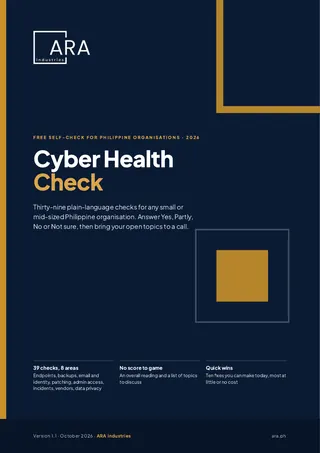
Find your ransomware gaps before an attacker does
The Cyber Health Check is 39 plain-language checks covering MFA, patching, endpoint protection, backups and incident response, the same controls that break the chain above. Answer Yes, Partly, No or Not sure and see where you stand.
For any Philippine SME or mid-sized business. Enter your details and the download opens on the next page.
Where to go next
WithSecure Philippines
Endpoint protection with EDR, XDR and exposure management from a registered WithSecure partner, deployed and supported locally.
Explore24/7 Managed Detection & Response
Analysts who answer the 2 AM alert in stages 2 and 3, before data is stolen or encrypted.
See how MDR worksHow ransomware gets in
A sample blueprint for closing the three doors behind stage 1: endpoints, the network edge and identity.
Read the blueprintPhilippine Cyber Incident Map
Reported incidents affecting Philippine organisations since 2024, each with a source.
Open the mapRansomware attack stages: frequently asked questions
What are the 4 stages of a ransomware attack?
Most ransomware attacks follow four stages: initial access (getting in through a stolen password, exposed remote access or an unpatched system), foothold and lateral movement (stealing more credentials and spreading to servers), data theft and backup sabotage, and finally encryption and extortion. Each stage leaves signs that a monitored security tool can catch.
How long does a ransomware attack take?
It varies from hours to days, sometimes longer. Attackers usually need time to spread, steal data and find the backups before they encrypt anything. In one case WithSecure investigated (The Professionalization of Cyber Crime, 2023), data was uploaded to cloud storage for several days before the ransomware ran. That window is why 24/7 monitoring matters: the earlier stages give defenders time to act before encryption.
Do ransomware attackers wait before they attack?
Usually, yes. After getting in, most attackers spend time quietly mapping the network and finding administrator accounts, valuable data and backups, then launch at night, on a weekend or over a holiday. In a 2025 hospital attack analysed by WithSecure Labs, the attacker first infected a few computers to gauge the defences, then spread across the network before encrypting over 600 devices. That quiet window is the best time to catch them.
What is dwell time in a ransomware attack?
Dwell time is how long an attacker is inside a network before anyone detects them. It varies widely from case to case. The shorter it is, the less time the attacker has to steal data and sabotage backups, which is why 24/7 monitoring by analysts who respond at any hour matters.
Do ransomware attackers target small businesses?
Yes, increasingly. WithSecure’s Ransomware Landscape H1 2024 report found that almost 61% of organisations named on ransomware leak sites in 2024 had 200 staff or fewer, up from 50% in 2022. Attackers go after open doors such as weak passwords and unpatched remote access, whatever the size of the company.
Can ransomware be stopped once it is inside the network?
Often, yes. Credential dumping, unusual remote-access tools, lateral movement and attempts to disable security tools all raise alerts in an EDR or XDR console. If someone responds quickly, the device can be isolated and the account disabled before data is stolen or encrypted.
Why do attackers go after backups first?
Because working backups mean you do not need to pay. Ransomware groups look for backup consoles, shadow copies and cloud storage and try to delete or encrypt them before they encrypt your files. Keep at least one copy offline or immutable, with separate credentials, and test that you can restore it.
Is antivirus enough to stop ransomware?
Not on its own. Antivirus blocks known malware, but much of a modern attack uses stolen passwords and built-in Windows tools that look legitimate. EDR watches behaviour, such as a process reading passwords from memory, and lets you isolate a device in minutes.
What should a Philippine business do in the first hour of a ransomware attack?
Isolate affected devices from the network, do not switch everything off unless you cannot disconnect it, call your IT or security provider using a phone rather than company email, and preserve logs. If personal data may be affected, start the NPC breach notification steps, which require notifying the NPC within 72 hours.
Are the alerts on this page real?
No. The console on this page is an illustration. The alert wording is typical of what an endpoint or XDR console shows at each stage, but no real customer data is shown.
The network diagram and security console on this page are illustrations of a typical attack, not a real incident or customer data.
Not sure which stage you'd catch? Usap tayo.
Book a free 30-minute call with the ARA Industries team. We'll walk through the four stages against your setup and suggest a practical first step.
Calendar not loading? Open the Usap Tayo booking page.