Automating School Admin Without Leaking Student Data: What DepEd and the DPA Require
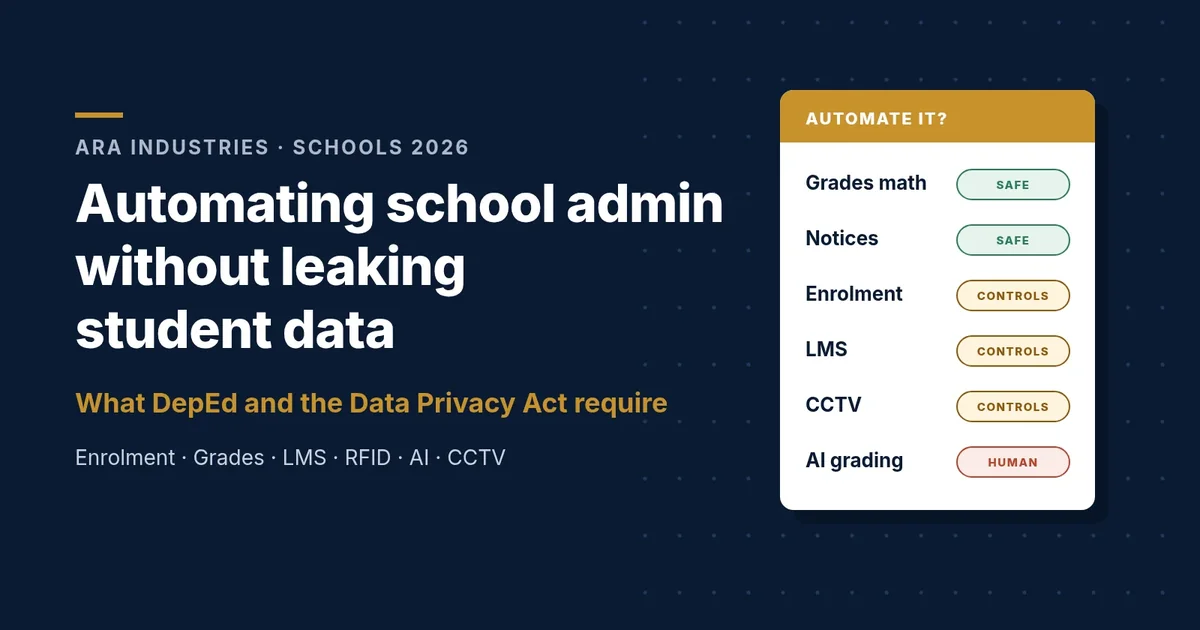
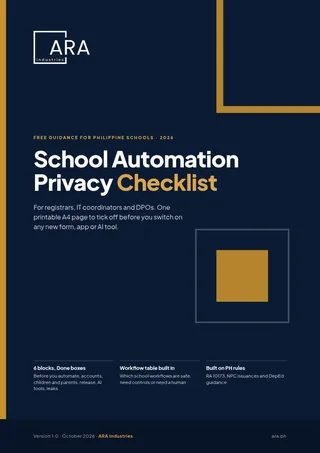
Free download: the School Automation Privacy Checklist (A4 PDF). Print it, hand it to your registrar, IT coordinator and DPO, and tick it off before you switch anything on.
Why does student data need extra care when you automate?
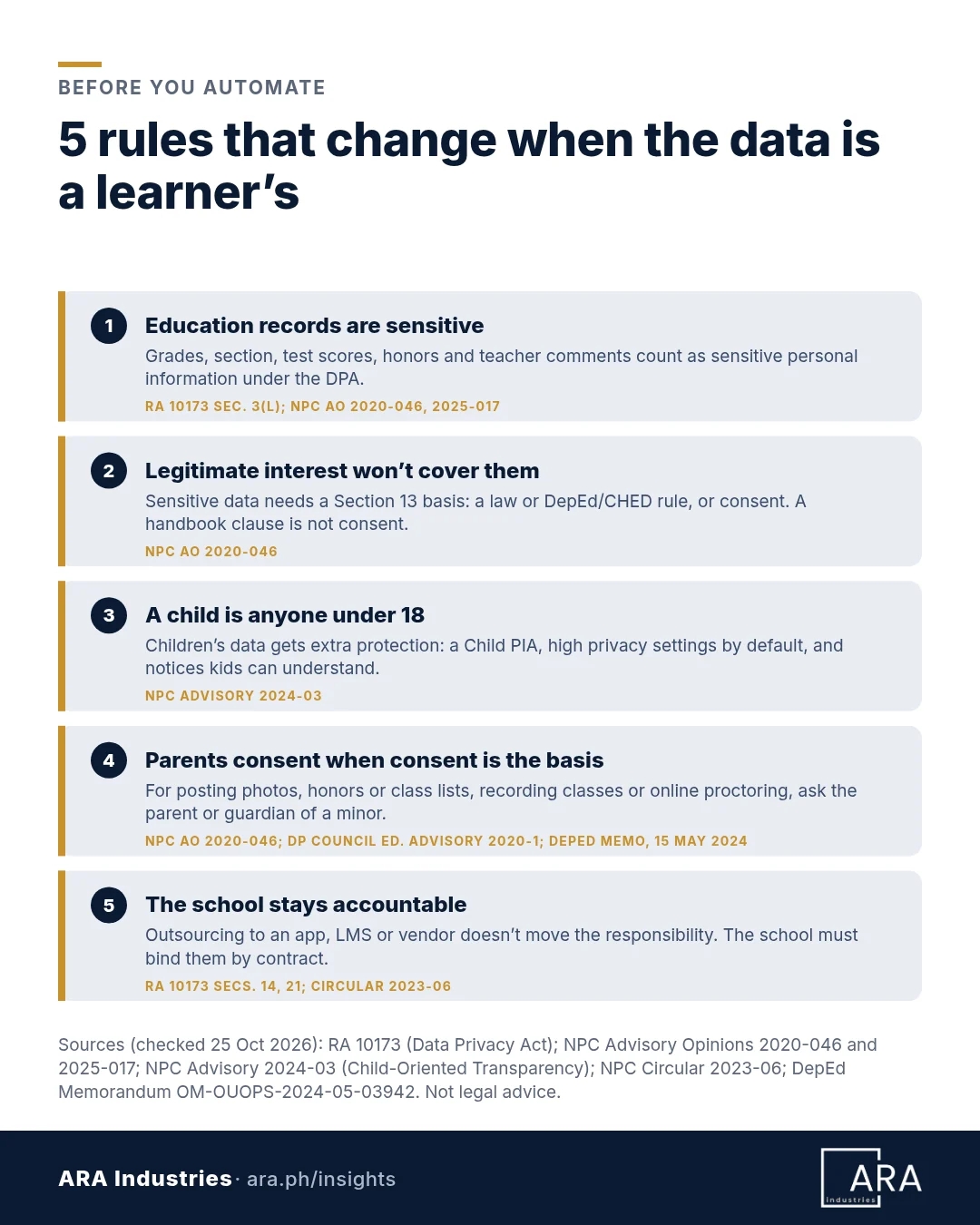
Because the law already treats most of it as sensitive. The Data Privacy Act lists information about a person’s “health, education, genetic or sexual life” as sensitive personal information (RA 10173, Sec. 3(l)). The NPC has spelled out what that means for schools: apart from the name, a class roster’s school, grade level, section and test scores are sensitive (NPC Advisory Opinion 2020-046), and so are grade breakdowns, rubrics and teacher comments (Advisory Opinion 2025-017).
That narrows your legal options. Sensitive data needs a Section 13 basis. A DepEd or CHED issuance that covers the processing and protects the data can be that basis. If none exists, the NPC says the school “should obtain the students’ or their legal guardians’, in case the students are minors, consent.” Legitimate interest won’t work for sensitive data, and a line in the student handbook “is not a valid remedy” for missing consent (AO 2020-046).
How does the NPC treat children’s data and parental consent?
NPC Advisory 2024-03 defines a child as someone below 18, or 18 and over but unable to fully protect themselves because of a disability or condition, and says children should “receive extra protection.” Before launching anything children will use, schools must run a Child Privacy Impact Assessment, set children’s accounts to the highest privacy settings by default, and add a child-friendly privacy notice. Parents or guardians may need to be involved, “particularly when there are heightened risks to children” (NPC Advisory 2024-03).
Consent isn’t the basis for everything. Public authorities generally process personal data under the laws behind their public functions, where consent isn’t needed (Circular 2023-04, Sec. 7(B)). Where consent is the basis, a parent or guardian gives it for a minor. DepEd’s May 2024 memo says “parental or guardian’s consent is necessary prior to the use of the learner’s data for media posting,” plus the learner’s own consent (DepEd Memorandum OM-OUOPS-2024-05-03942).
Where has school data actually leaked in the Philippines?
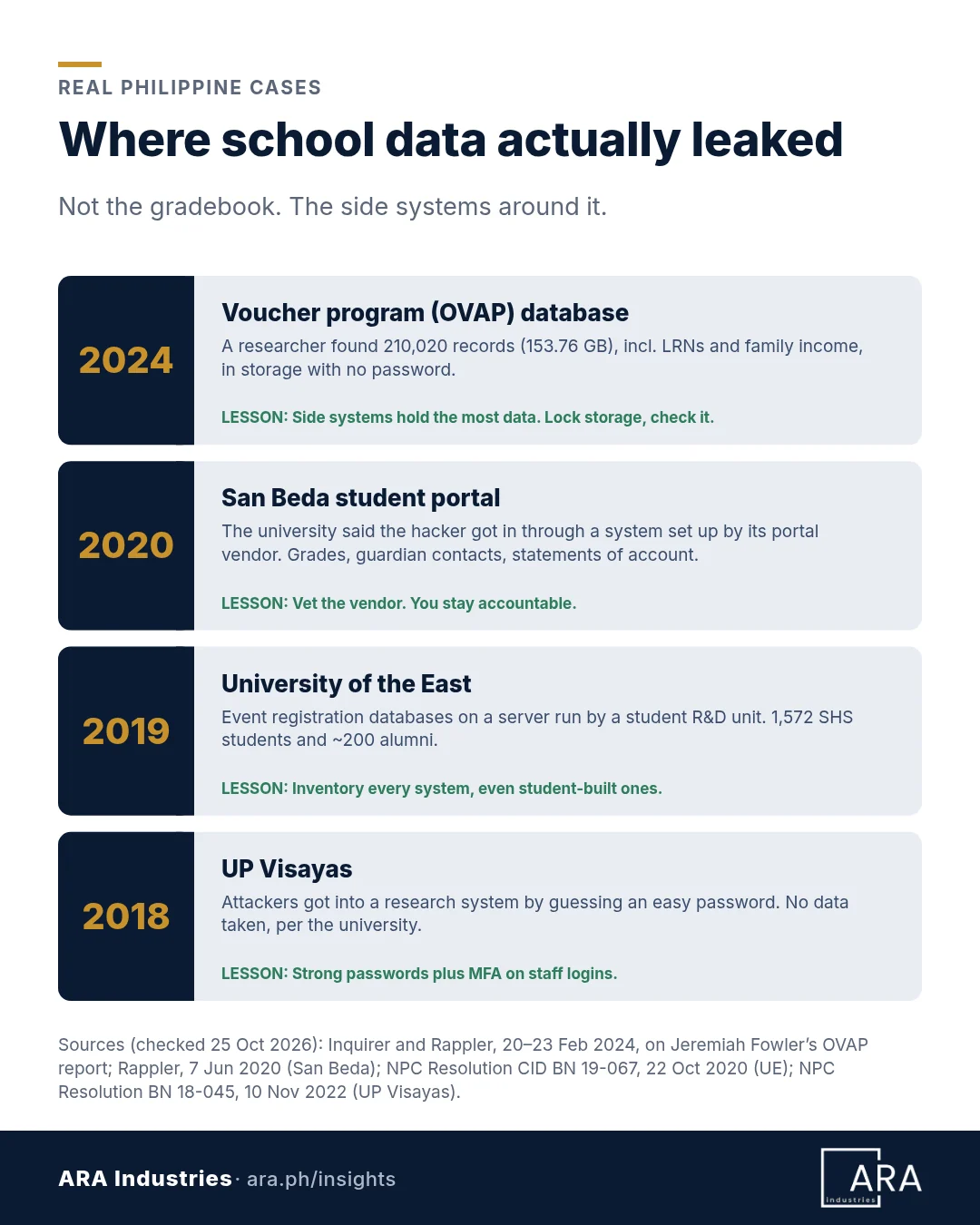
- Voucher application data, February 2024. Researcher Jeremiah Fowler found a database with no password, apparently linked to the Online Voucher Application (OVAP) run by DepEd and PEAC: 210,020 records (153.76 GB), including LRNs and family income. He said the NPC told him it had secured it (Inquirer; Rappler).
- San Beda University, June 2020. The university said a hacker got in through the system its vendor set up for the student portal, exposing grades, guardian contacts, statements of account and passwords (Rappler).
- University of the East, 2019. Event registration databases on a server run by a student R&D unit were hit by brute-force attempts from more than 4,000 IP addresses, exposing 1,572 senior high students and about 200 alumni. The NPC refused UE’s request to delay notifying them (NPC Resolution, Oct 2020).
- UP Visayas, 2018. Attackers guessed an easy password on a research system. The university said no data was copied, and disabled every easy-password account (NPC Resolution, Nov 2022).
Notice the pattern: none of these started in the gradebook. They started around it, in a side database, a vendor portal, a student-built site, a weak login.
Which school workflows are safe to automate?
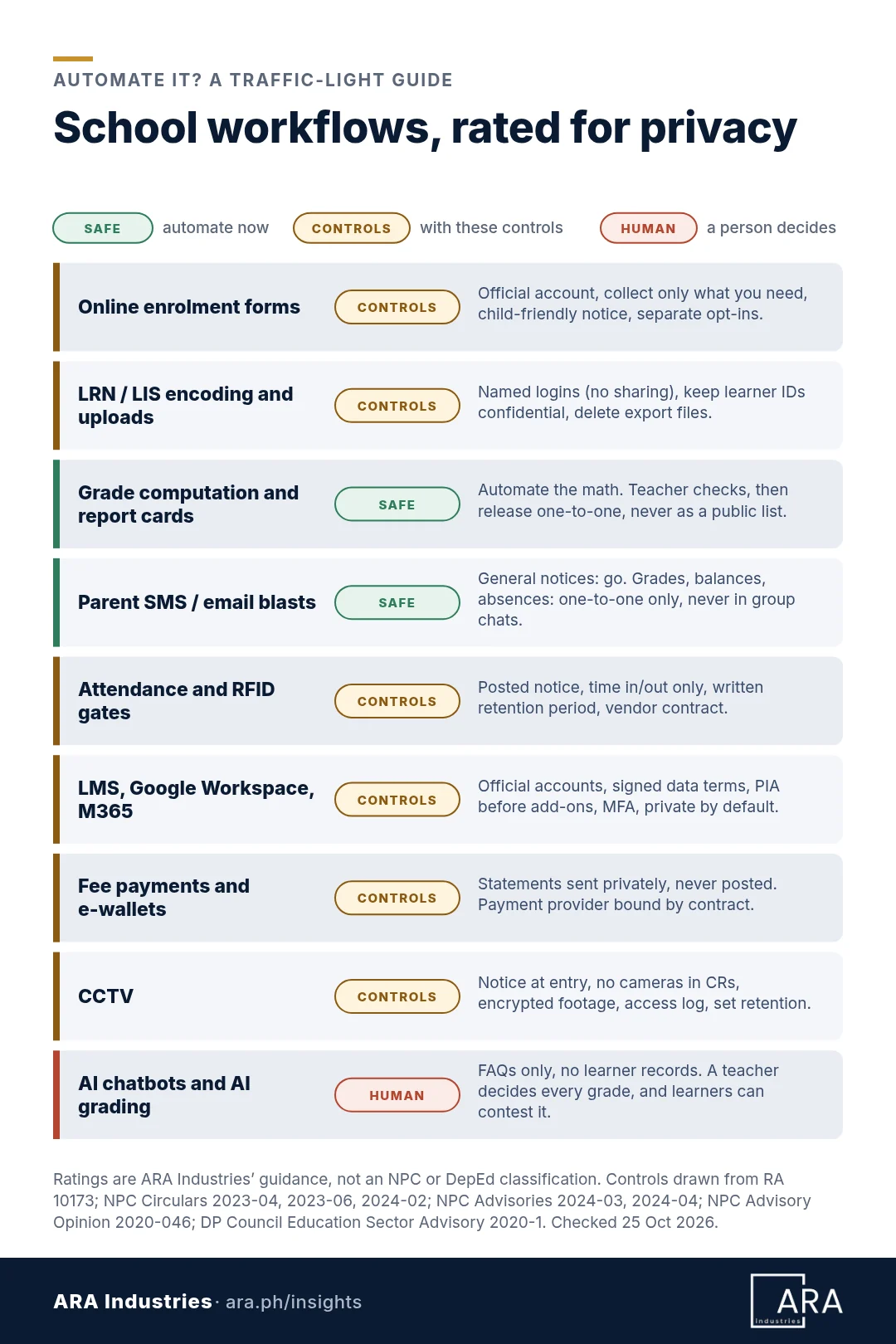
Here’s how ARA Industries rates common school admin workflows. Safe to automate: go ahead with baseline controls. With controls: only once the listed control is in place. Keep human: a person decides each time.
| Workflow | Rating | The control it needs |
|---|---|---|
| Online enrolment forms | With controls | Official account, only the fields enrolment needs, and optional uses as separate opt-ins, since consent can’t be bundled (Circular 2023-04, Sec. 8). Add a child-friendly notice (Advisory 2024-03). |
| LRN and LIS encoding, bulk uploads | With controls | Named logins, no shared passwords. DepEd’s LRN order says identifying information “shall be kept confidential” (as quoted by the NPC). Delete export files after upload. |
| Grade computation and report cards | Safe to automate | Automate the math, then have the teacher check it. Release results only to the intended recipient, “not released en masse” (DP Council Education Advisory 2020-1). |
| Parent SMS and email blasts | Safe to automate | General notices are fine. Grades, balances and absences go one-to-one (BCC on email, never to a group chat). |
| Attendance and RFID gates | With controls | Post a notice, capture time in and out only, and write down how long you keep the logs (Circular 2023-06, Sec. 9). Bind the vendor by contract. |
| LMS, Google Workspace, Microsoft 365 | With controls | Official accounts, data protection terms with the provider, a PIA before add-ons (DP Council), staff MFA (Circular 2023-06, Sec. 16), children private by default. |
| Fee payments and e-wallets | With controls | Send balances directly to the learner or parent; the NPC calls that more appropriate than posting names and amounts on a bulletin board (AO 2020-046). If a provider processes payment data for you, bind it by contract (RA 10173, Sec. 14). |
| CCTV | With controls | Notices at entry, no cameras in CRs, encrypted footage, access logs, written retention (Circular 2024-02). A person approves every footage release. |
| AI chatbots and AI grading assistants | Keep human | Chatbots answer FAQs without touching learner records. A teacher decides every grade, and learners can contest it (Advisory 2024-04). |
| Posting honors, class lists, photos | Keep human | Get consent first, from the parent or guardian for minors (AO 2020-046; DepEd memo), and post only from official school accounts. |
Ratings are ARA Industries’ guidance, not an NPC or DepEd classification.
Can teachers use AI to grade or answer parents?
Yes, as a helper. Under NPC Advisory 2024-04, schools must be able to explain what an AI system does with personal data, keep “meaningful human intervention carried out by persons with the necessary competence and authority,” and let people question and contest automated decisions that pose a significant risk to them (NPC Advisory 2024-04). Consent is required when automated processing is “the sole basis for a decision” with legal or significant effects (Circular 2023-04, Sec. 18), and systems that do automated decision-making must be registered with the NPC (Circular 2022-04, Sec. 5).
In practice, let AI draft feedback or answer FAQs and let the teacher decide the grade. Free AI apps the school hasn’t adopted are unofficial tools, whose use “should be limited” (DP Council Education Advisory 2020-1). Keep learner records out of them.
Is Google Workspace or Microsoft 365 for Education enough?
It’s a good base, not a finish line. The education sector advisory says a third-party LMS should be covered by a data processing outsourcing agreement (standard data protection clauses may do), and warns that integrated apps “may introduce vulnerabilities,” so run a PIA first (DP Council). Whatever the vendor promises, the school stays responsible for data it hands to a processor (RA 10173, Secs. 14 and 21).
What does a global standard add?
The U.S. Department of Education’s Privacy Technical Assistance Center offers a habit worth copying: keep an inventory of every online service in use, and put free “click-wrap” apps through the same approval as paid ones. Limit who can accept terms of service, and save a copy of what you agreed to (PTAC, 2014).
What should be on your checklist before you automate?
Six blocks, one page, every new tool.
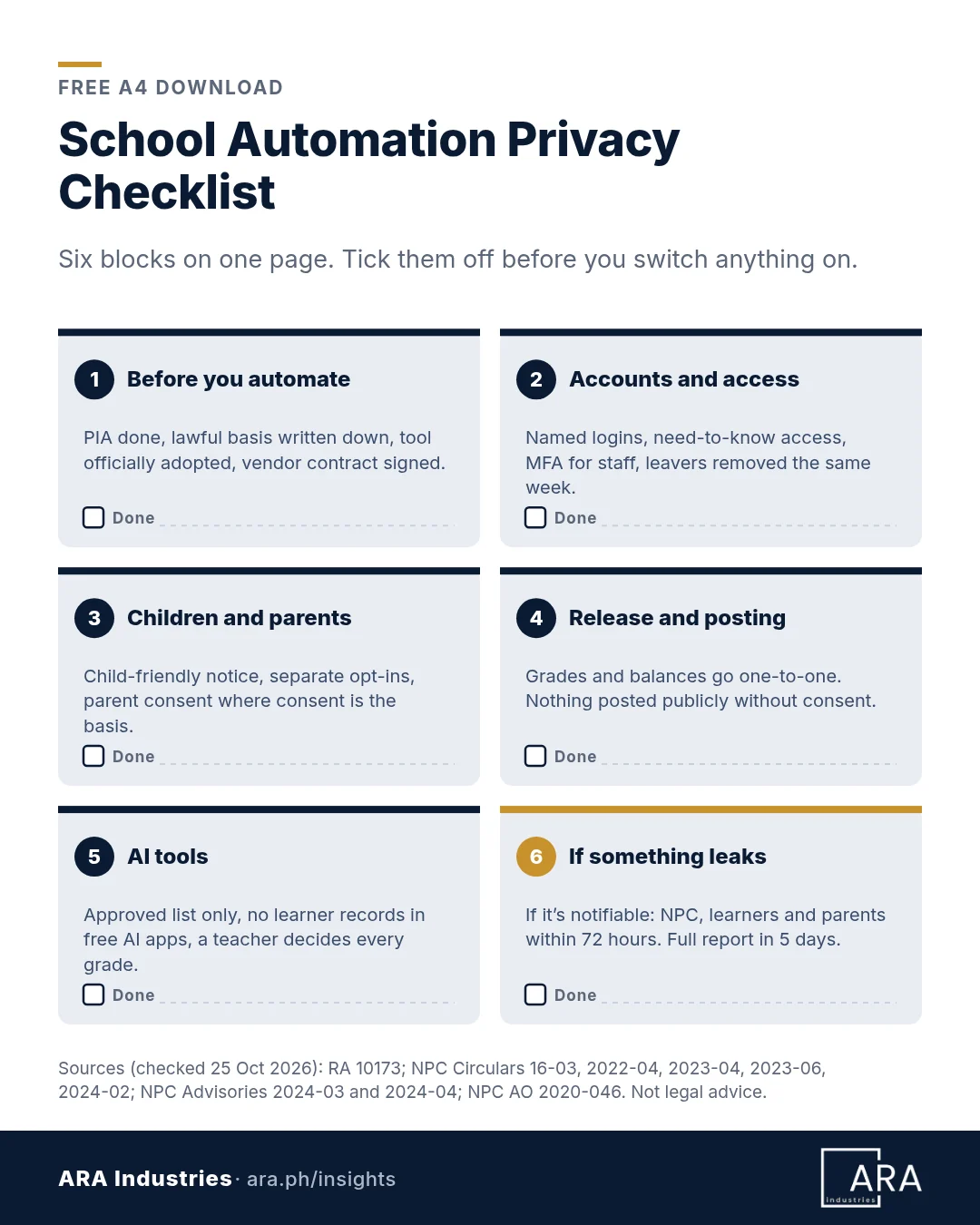
- Before you automate: a PIA for the system (Circular 2023-06, Sec. 5), your lawful basis in writing, and a signed vendor contract. If you process sensitive data of 1,000 or more people (count learners, parents and staff) or employ 250 or more, register your systems with the NPC (Circular 2022-04, Sec. 5).
- Accounts and access: need-to-know access (Circular 2023-06, Sec. 13), named logins and MFA for staff.
- Children and parents: child-friendly notices, private defaults, separate opt-ins.
- Release and posting: one-to-one; nothing public without consent.
- AI tools: an approved list and a teacher on every grade.
- If something leaks: where the breach is notifiable, tell the NPC through DBNMS and the affected people within 72 hours, and send the full report within 5 days (NPC Circular 16-03). For children, notify them and their parents or guardians (Advisory 2024-03).
Download the School Automation Privacy Checklist (A4 PDF, 1 page), with the workflow table built in.
How privacy-ready is your school? Take the 10-question self-check
Give your school one point for each yes.
- We have a list of every system holding learner data, including free apps teachers signed up for.
- Every new tool gets a PIA before learners use it.
- Our enrolment form asks only what we need; optional uses are separate opt-ins.
- Every staff member has their own LIS, LMS and SIS login.
- MFA is on for staff email, the LMS, the SIS and admin accounts.
- Grades, balances and absences go one-to-one, never posted or sent to group chats.
- Every vendor holding learner data has signed data terms with us.
- We get parent or guardian consent before posting minors’ photos, honors or class lists.
- Learner records stay out of free AI tools, and a teacher decides every grade.
- We know who notifies the NPC, learners and parents within 72 hours if data leaks.
- 9–10: Ready. Review the checklist every school year.
- 6–8: Gaps to close this term. Start with any “no” on accounts, MFA or vendors.
- 0–5: High risk. Pause new automation and fix access and vendor contracts first.
The scoring bands are ARA Industries’ rule of thumb, not a formal standard.
Where should a school start this term?
Pick three things to finish before the next grading period: list every system that holds learner data, put MFA and named logins on staff accounts, and fix the points where grades and balances leave the school.
Small IT team? Our guide to campus cybersecurity for lean IT teams covers the security side, and our look at the 2026 ransomware surge shows why size won’t protect you.
Download the checklist, then, if you want a second pair of eyes, ARA Industries can run a cyber health check on your school’s accounts, devices and vendor setup. Or just talk to us about the workflow you want to automate next. Think learner data may already have leaked? Email securenow@ara.ph.
Rules checked against the linked sources on 25 October 2026. NPC requirements summarized from RA 10173 and the NPC issuances cited; confirm current rules at privacy.gov.ph and with DepEd or CHED. Not legal advice.
Frequently asked questions
Are student grades sensitive personal information in the Philippines?
Yes. The Data Privacy Act treats information about a person’s education as sensitive (RA 10173, Sec. 3(l)), and the NPC counts sections, test scores, honors, grade breakdowns and teacher comments (AO 2020-046; AO 2025-017). You need a Section 13 basis: a DepEd or CHED rule, or consent.
Do schools need parental consent to process a minor’s data?
Not for everything. If a law or a DepEd or CHED rule covers the processing, that can be the basis. Where consent is the basis, such as posting photos, honors or class lists, the NPC says to get it from the parent or legal guardian of a minor (AO 2020-046), and DepEd requires parental or guardian consent before media posting (DepEd memo, 15 May 2024).
Can teachers use AI to check or grade work?
As an assistant, with the teacher deciding. NPC Advisory 2024-04 calls for meaningful human intervention and a way to contest automated decisions (NPC), and consent is required when an automated process alone makes a decision that significantly affects someone (Circular 2023-04, Sec. 18). Keep learner records out of unapproved AI tools.
Is Google Workspace or Microsoft 365 for Education enough to comply with the Data Privacy Act?
No platform makes a school compliant by itself, because the school stays accountable for what its providers do (RA 10173, Secs. 14 and 21). Use official accounts, keep the provider’s data terms on file, turn on staff MFA and assess add-ons first.
What must a school do if student data leaks?
If sensitive or identity-fraud data may have been taken and there’s a real risk of serious harm, notify the NPC and affected people within 72 hours and send a full report within 5 days (NPC Circular 16-03). When the learners are children, notify both the children and their parents or guardians (NPC Advisory 2024-03).